
Why Am I Losing Followers on TikTok and How to Read the Drop
Why Am I Losing Followers on TikTok and How to Read the Drop
Why am I losing followers on TikTok? Learn to tell a fake-account purge, an app exodus or a glitch from real unfollows, then fix it.
- 1Why Am I Losing Followers on TikTok All at Once?
- Why Did So Many People Lose TikTok Followers in January 2026?
- 2Is It a TikTok Purge or Are People Unfollowing You?
- Can a TikTok Shadowban Make You Lose Followers?
- 3Is a TikTok Glitch Making Your Follower Count Drop?
- 4Why Do Real People Unfollow You on TikTok?
- 5Can You See Who Unfollowed You on TikTok?
- 6What Happens to Bought or Bot Followers on TikTok?
- 7How Do You Stop Losing Followers on TikTok?
- 8Quick Takeaways
The Short Answer: A sudden TikTok follower drop usually means accounts vanished from your list, through TikTok’s fake-account sweeps, followers deleting their accounts, or bans. Real unfollows look like a slow slide over several weeks, and that is the one kind of loss your content can fix.
Why am I losing followers on TikTok? Start with how fast the number fell, because the speed tells you most of the story. Hundreds gone overnight usually traces back to TikTok, and a few gone every day for weeks sends you to your own posts first.
TikTok’s own data shows how big those sweeps get. The raw data you can download from its enforcement report counts 11.3 billion fake followers removed worldwide from October to December 2025, the largest of the 20 quarters it covers.
The four causes below are a TikTok purge, followers deleting their accounts, a display glitch and real people unfollowing. The shape of the drop in TikTok Studio’s Followers tab points to the cause, and I rule out the first three before I change anything I post.
Why Am I Losing Followers on TikTok All at Once?
Losing followers on TikTok all at once usually means accounts vanished from your list, because TikTok removed fake or banned accounts or because followers deleted their own.
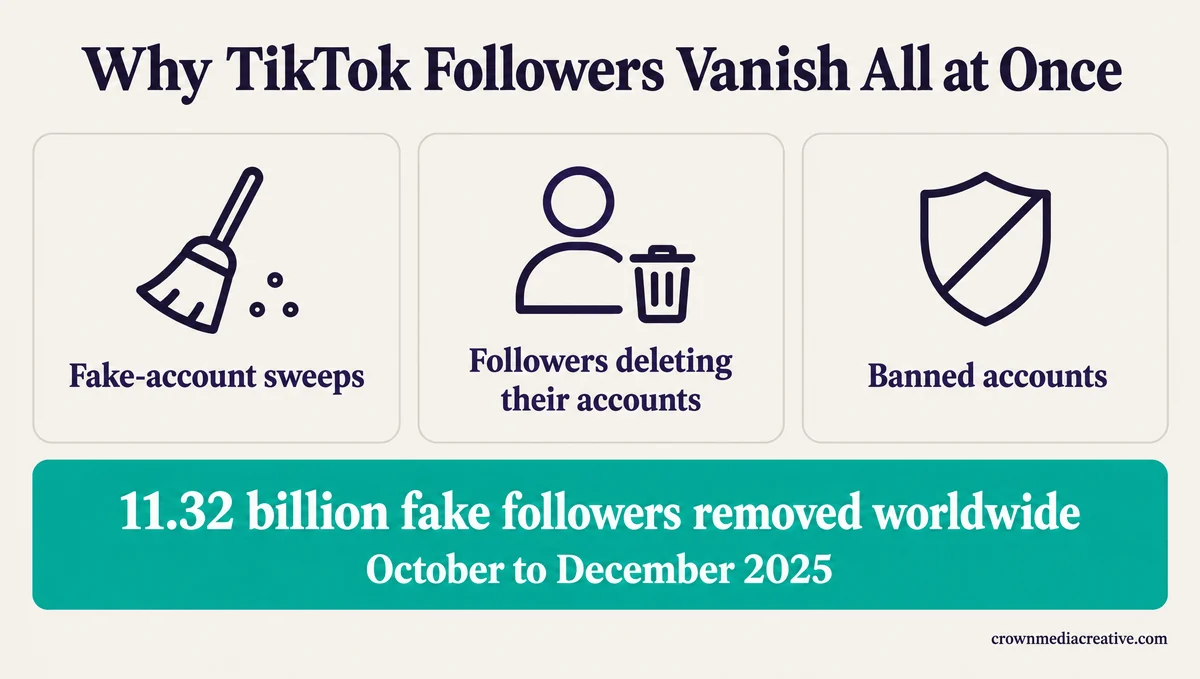
A follow only exists while both accounts do. When TikTok deletes a fake account, every follow it made disappears with it, and your count drops without anyone tapping Unfollow.
TikTok confirms the removals on its removing followers page, which answers “Why does TikTok remove inauthentic followers and likes?” with “Our goal is to reduce inauthentic accounts and engagement on TikTok.”
TikTok’s quarterly figures show those removals arriving in waves:
| Quarter | Fake followers TikTok removed worldwide |
|---|---|
| July to September 2024 | 57.3 million |
| October to December 2024 | 5.65 billion |
| January to March 2025 | 200 million |
| April to June 2025 | 377 million |
| July to September 2025 | 3.22 billion |
| October to December 2025 | 11.32 billion |
| January to March 2026 | 6.15 billion |
The jump from 57.3 million to 5.65 billion is nearly a hundredfold in one quarter. When removals surge like that, many creators lose followers in the same stretch, which is why “is anyone else losing followers?” posts tend to bunch together.
U.S. accounts now get a sweep of their own from TikTok’s U.S. joint venture, the American company that took over the U.S. app in January 2026. Its platform security report shows, on its Q1 2026 tab, 1.23 billion fake followers and 12.6 million fake accounts removed between January 22 and March 31, 2026.
The same report counts 30 coordinated networks that “sought to manipulate engagement on TikTok,” taken down in that period, along with 199.8 million followers attached to them. Real accounts come off your list too, whenever TikTok bans one for breaking its rules or its owner deletes it.
I treat a drop of hundreds in a single night as TikTok’s doing until the trend says otherwise, and the last section covers what to do after one.
Why Did So Many People Lose TikTok Followers in January 2026?
January 2026 brought real follower losses because many U.S. users deleted TikTok in the days after its new U.S. joint venture took over the app.
The joint venture took over TikTok’s U.S. operations in late January 2026, per TechCrunch. Sensor Tower data cited by CNBC showed U.S. users deleting the app 150% more in the five days after the takeover, compared with the previous three months, as PetaPixel reported.
New privacy terms drove part of that, and Dre Ronayne, a creator with almost 400,000 followers, announced on Threads that she had deleted her TikTok account. On r/TikTok, one creator dropped from 23k to 18k overnight on January 29, and the replies blamed people deleting their accounts.
Those followers left TikTok itself, and no setting on your side brings them back. TikTok’s login help page says a deleted account “will be deactivated for 30 days and then erased permanently,” so anyone who logs back in before then may reappear on your list.
I tell anyone hit that week to stop hunting for a fix and get back to posting.
Is It a TikTok Purge or Are People Unfollowing You?
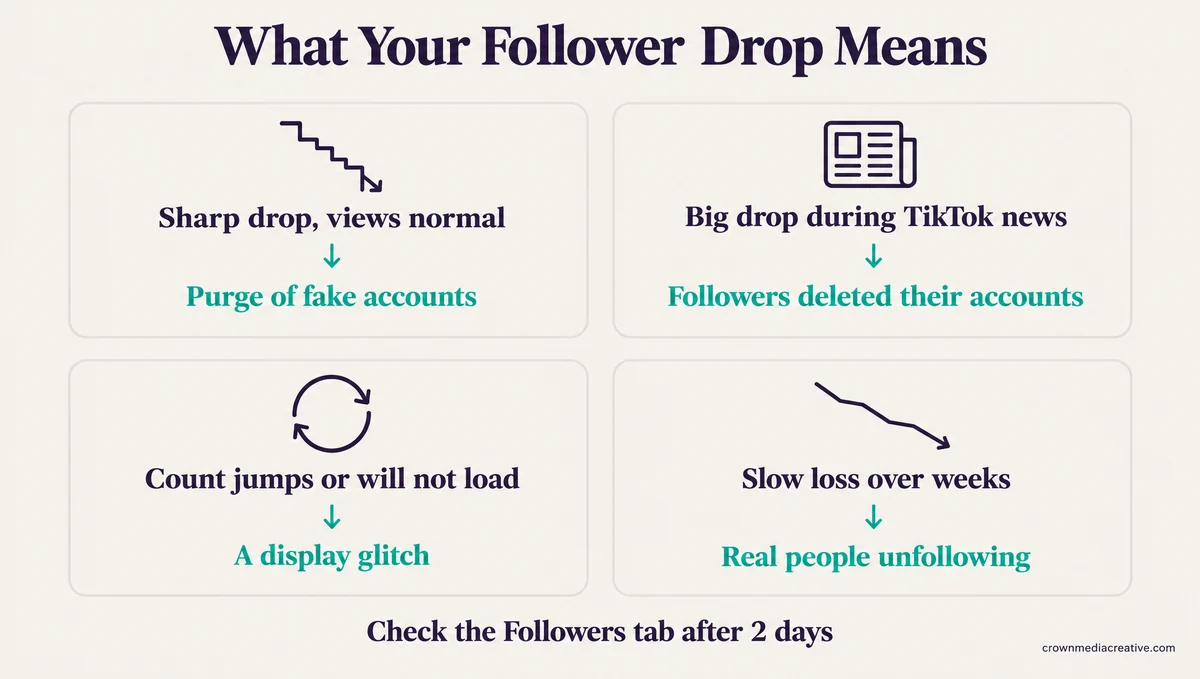
A TikTok purge usually hits as a sharp drop over a day or two while your views hold steady, and an exodus lines up with big news about the app. Real unfollows tend to look like a slow loss that follows what you post.
Check which count fell, Followers or Following. If it is your Following count, TikTok is removing follows you made, which our guide to TikTok auto-unfollowing covers.
For the Followers count, match what you see against this table:
| What you see | Most likely cause | What to do |
|---|---|---|
| Hundreds or thousands gone within hours, views normal | TikTok removed fake or banned accounts | Nothing to fix on your side |
| A big drop during major news about TikTok | Followers deleted their accounts | Nothing, keep posting for the people who stayed |
| The count jumps up and down, or the list will not load | A display or server glitch | Refresh, switch networks, check again in two days |
| A few followers gone every day for weeks | Real people unfollowing | Look at what changed in your recent posts |
| A drop soon after a viral video or a paid promotion | Followers who came for one video | Post more of what the video offered |
| Views and followers falling together | A reach problem on top of the loss | Run Account check in TikTok Studio |
TikTok Studio shows the trend. TikTok’s Creator Academy says its Followers tab highlights “the change in follower growth compared to the previous period.” To open it:
- Tap Profile, then the Menu button at the top, and select TikTok Studio.
- Find Analytics and tap View all.
- Open the Followers tab and compare this period with the one before it.
Wait two days before you judge the graph, because TikTok’s views help page says analytics data “may take 1 to 2 days to update.” I read one sharp step down on that graph as a sweep, and a line that bends lower week after week as people leaving.
Can a TikTok Shadowban Make You Lose Followers?
A TikTok restriction limits where your posts show up, but nothing on TikTok’s list of account restrictions removes people who already follow you.
TikTok’s Account check guide says the tool scans your account and your last 30 posts. It looks for restrictions “from logging in, posting, commenting, editing your profile, or sending messages; posts not eligible for the feed; and posts receiving a violation.” Losing followers is not on that list.
A restriction can still slow new follows, because fewer strangers see your videos. If your views fell first, start with why TikTok views drop.
Is a TikTok Glitch Making Your Follower Count Drop?
A TikTok glitch is the likely cause when your count jumps back and forth or your follower list will not load. TikTok’s own fix is to switch networks, refresh, clear the cache and update.
If your follower list freezes or shows a different number each time you open it, TikTok’s following and unfollowing page lists these steps “If you are having trouble with your following or follower list”:
- Switch between Wi-Fi and mobile data.
- Refresh your following or follower list several times.
- Clear the app video cache in your Settings and privacy.
- Make sure you’re using the latest version of TikTok.
Still not working? The same page asks you to send feedback “with additional details and screenshots” through its “Need more help?” button.
Those steps fix a number that will not refresh. They cannot bring back followers who are really gone, so clearing the cache after a purge changes nothing.
Server trouble on TikTok’s side can look like a follower problem too. PetaPixel quoted the joint venture in late January 2026 blaming app bugs on “a power outage at one of our U.S. data center partner sites.”
The bugs it named were slow load times and display errors on view counts and like counts. Follower counts were not on that list, so a drop that week fits the exodus better than the outage.
TechCrunch reported a second outage on March 3, 2026, and r/TikTok had a “losing followers today?” thread on March 5. I wait out any number that moved during an outage before I read anything into it.
Our guide to TikTok lag and outages shows how to tell a server fault from a phone problem.
Why Do Real People Unfollow You on TikTok?
Real people unfollow you on TikTok when your account stops matching the reason they followed, which usually happens after a viral video, a change of topic or a long gap between posts.
A viral video pulls in viewers who liked that one clip. When your next posts cover something else, a share of them leave, and the loss shows up over the following weeks.
Paid promotion can do the same thing. TikTok’s Promote help page lists “new followers” among the campaign results the tool reports. A small business owner wrote in one r/TikTok thread that local promotion “definitely helps me gain followers but it also made me lose tons of followers.”
Followers who came in through an ad saw one paid video before they followed, so the fit is weaker from the start. Our guide to whether Promote works covers when it pays off.
Changing topics causes the same slow slide. People followed you for one kind of video, so when you switch, your bio should say plainly what you post now. Here is the kind of rewrite I mean:
Before: “my life, my vibes, follow for more”
After: “Cheap weeknight dinners for one. New recipe every Tuesday and Friday.”
Long gaps between posts let followers forget why they followed. My rule after a viral hit is two or three more videos on the same topic before I go back to anything else, so the new followers get what they came for.
Getting strangers to follow in the first place is a separate job, covered in getting more TikTok followers.
Can You See Who Unfollowed You on TikTok?
No, TikTok does not tell you when someone unfollows you and has no list of people who left, so the only reliable check is comparing your follower list at two points in time.
Your inbox does not show unfollows. TikTok’s notifications page lists alerts “when you have new messages, activities, followers, and more,” and an unfollow is not on that list.
For one person you care about, open the Followers list on your profile and look for their name. TikTok lists everyone who follows you there.
For a bigger check, request your data twice, a week or more apart:
- Tap Profile, then the Menu button, then Settings and privacy.
- Tap Account, then Download your data.
- Choose what to include, pick a file format, and tap Request data.
- Download the file when TikTok says it is ready.
TikTok’s data download page says “it may take a few days to prepare the file,” and the file stays available “for up to 4 days.” It also warns that “Some data may not be available to download, such as data that affects the privacy of others.”
TikTok’s page does not promise a follower list in the file. Sozee’s analytics guide recommends comparing follower files from two exports, so open your first download and confirm the list is there before you rely on it.
I would not give my TikTok password to any app that promises a list of unfollowers. TikTok publishes no such list, and your login sitting in someone else’s app puts the whole account at risk.
What Happens to Bought or Bot Followers on TikTok?
Bought followers and bot followers are the accounts TikTok’s sweeps target, so they disappear in batches.
TikTok’s integrity rules list “Buying or selling followers or engagement for financial gain” as spam. The same list includes “Using bots or scripts to write fake reviews or comments, or to increase likes or shares.”
A follower package bought two years ago can vanish in one bad week, and so can bots you never asked for. One creator on r/TikTok asked “How did I lose 2.3k followers within an hour?” and wrote “I’ve never bought followers.”
A reply in that thread guessed the account “got botted at some point and they finally got removed,” and the creator doubted they had that many bots. The post went up on November 22, 2025, inside the record quarter for fake-follower removals.
Bot accounts tend to have no photo, no posts and a username made of a word and a long string of digits. I clear obvious ones myself, because a cleaner list makes the Followers tab easier to read.
TikTok’s removing followers page gives the path: tap Profile, then Followers, then More actions next to the account, then Remove this follower.
How Do You Stop Losing Followers on TikTok?
You stop losing followers on TikTok by fixing the cause you control, which is real unfollows. Fake accounts removed in a purge do not come back, and you cannot bring back people who left the app.
Here is the order I work through after any drop:
- Wait two days, then read the Followers tab against the previous period.
- Match the drop to the purge, exodus, glitch and unfollow patterns in the “What you see” table above.
- If it was a purge, an exodus or a glitch, change nothing and keep posting.
- If real people are leaving, open “Your top posts” and make more of whatever earned followers.
- Post on a schedule your followers can expect, and pick it back up quickly after a gap.
TikTok’s analytics guide says “Your top posts” are ranked by “views, likes, new viewers, and new followers gained.” The new-followers ranking shows what your audience wants more of.
If you run several accounts and a sweep hit all of them, automating follows and engagement in your niche is one way to rebuild. SMTasker does that through the real TikTok app on Android phones and offers a trial before you pay.
Keep it off any account you cannot afford to lose, because TikTok’s integrity rules list “Using automation to run many accounts or send repetitive content” as spam.
The January 2026 exodus is the strongest case for keeping a way to reach followers off TikTok, most of all if the account earns you money. The Creator Money Page is a free bio-link template with email capture built in, so anyone who signs up stays reachable even if they leave the app.
If your count fell this week, open the Followers tab in two days and let the shape of that graph decide your next move.
Quick Takeaways
- A big overnight drop usually means TikTok removed fake or banned accounts, and there is nothing to fix on your side.
- Before blaming your content, rule out a purge: TikTok removed 11.32 billion fake followers worldwide from October to December 2025, the most in any quarter since its data starts in 2021.
- Check TikTok Studio’s Followers tab two days after a drop, because analytics can take 1 to 2 days to update.
- TikTok has no unfollow alert or unfollower list, so compare two data downloads instead of trusting tracker apps.
- Fix what you control: post more of what your top posts earned followers for, on a steady schedule.

