
Why Is My TikTok Not Getting Views or Suddenly Dropping
Why Is My TikTok Not Getting Views or Suddenly Dropping
TikTok flags posts it keeps out of the For You feed in each post's analytics and in Account check. If neither shows a flag, look at retention and
- 1Zero Views or a Drop? Answer This First
- 2Why a New Video Sits at 0 Views
- 3Start by Working Out Which Drop You Have
- 4Ineligible for the For You Feed Is Not the Same as a Violation
- 5One Old Video Can Drag Down Everything You Post After
- 6How to Check Whether Your Account Was Flagged
- 7What Your Analytics Actually Tell You
- 8The Reset That Works Without Deleting Anything
- 9What Not to Do While Your Views Are Down
- 10When the Drop Really Isn’t About You
- 11If TikTok Stays Cold, Put the Same Video on Instagram
Used to hit 10k views, easy. Now it’s 7, maybe 11 if you’re lucky, with the comments gone and the likes a ghost town.
And the worst part, nothing changed.
You didn’t change your posting time, switch up your content or break any rules. You’re still showing up, still editing, still trying.
You open TikTok Studio and it says you’re in good standing: “No issues found.”
You post again and still get nothing, as if your account hit a wall and no one told you why.
The short version: a sudden view collapse comes from one of three things, and none of them has to involve a rule violation at all. Your recent posts can be ineligible for the For You Feed without being removed and without a strike, because TikTok treats ineligibility and violation as two separate outcomes. TikTok flags that decision in each post’s analytics and in Account check, so a clean result on both shifts the likely cause to retention or reach.
If your video never left 0 views at all, that is a different problem from a drop, and the next section handles it first.
And it’s not just you.
Creators with 10k, 20k, even 30k followers are saying the same thing, from beauty pages to music editors to sports talk. Accounts that were doing 5k to 70k views per post a few weeks earlier are now stuck at 9.
Zero Views or a Drop? Answer This First
These are two different problems and they have different fixes. A video that never leaves 0 views is usually sitting in TikTok’s upload review or coming from an account that cannot reach the For You feed at all. A video that used to pull thousands and now pulls single digits is a feed eligibility problem on content that already got distributed.
| What you are seeing | Most likely cause | Where to go next |
|---|---|---|
| New upload stuck at 0 views, never moved | Still in automated review, or an account that is ineligible for the For You feed | The next section |
| Views fell from thousands to single digits | Recent posts became For You feed ineligible, with no strike, and the reason shows in each post’s analytics | Skip to working out which drop you have |
| A video climbed, then stalled hard | The second review TikTok runs once a video gains traction | Both sections apply |
Why a New Video Sits at 0 Views
A video showing 0 views to everyone but you is usually sitting in the review window, and that is not a punishment. TikTok’s content moderation page says content is “reviewed by automated moderation technologies” before it is posted, and its UK Online Safety Act disclosure adds that “while undergoing this review, the content is visible only to the uploader”.
That is exactly what creators describe. The video plays fine on your own phone, the counter reads 0, and nobody else can find it. While that window is open there is nothing to fix and nothing to appeal.
TikTok’s own figures show how early automated enforcement lands. In 2024, “over 96% of the content removed through automated technology for violating our policies was taken down before it had any views”. That figure describes content TikTok removed, so it cannot tell you how likely removal is for any given video sitting at 0.
Removal also looks different from the outside, because the video leaves your profile. A post you can still open and play has not been removed.
The same moderation page gives the only published timing anywhere near this question, and it is about removal rather than clearance: “of the content we removed in 2024, over 98% was taken down within 24 hours”. TikTok publishes no figure at all for how long an ordinary review takes.
One cause of a permanent 0 has nothing to do with the video. TikTok makes “content created by anyone under 16 years old ineligible for the For You feed”, so an account registered with an under-16 birthday cannot be recommended no matter how strong the post is.
There is also a second review further up: TikTok’s help center says content can go under review “when you upload content, if it gains popularity, or if it’s reported”. The UK disclosure adds that a video is “reviewed again” once it “reaches certain levels of popularity in terms of the number of video views”. A video that climbs and then stops dead may have met that pass rather than a shadowban.
What to actually do while a video sits at 0:
- Leave it alone before you delete anything. Every upload goes through that review, so deleting and reposting simply starts a new one, and TikTok does not publish how long a review takes.
- Check the birthday on the account. An under-16 date blocks For You reach for as long as it stands, and no amount of editing gets round it.
- Ask someone who does not follow you to search your caption, or open your profile in a logged-out browser. Visible to you and invisible to them means the review has not cleared.
- If it clears and the video still shows nothing, the problem has moved to feed eligibility, and the post’s own analytics is where TikTok says it shows that decision.
TikTok describes the pre-post review and its 2024 removal figures on its content moderation page, and the uploader-only window and the popularity check in its UK Online Safety Act disclosure.
Start by Working Out Which Drop You Have
Three very different problems produce the same flat graph, and each one needs a different response. Check your last five posts against this before you touch anything.
| What you’re seeing | Most likely cause | What to do first |
|---|---|---|
| One video died, the rest are normal | That single video missed its first test audience, or it hit an ineligibility rule | Leave it alone. Post something else and watch the next one. |
| Everything since a certain date is dead, older posts were fine | Something on or near that date became ineligible, or an older post got re-reviewed | Run an Account check, then open the analytics of the post at the boundary and look for an ineligibility notice. |
| Views dropped gradually over weeks with no clean break | Falling retention, so TikTok stopped widening the test audience | Ignore views. Compare retention on your last ten posts against the ten before them. |
The middle row is the one people misdiagnose most often, because a cliff edge feels like punishment, so people respond as though it were one. It is usually a single post doing the damage.
TikTok’s guidelines also describe an account-wide version, the nearest thing TikTok documents to a shadowban. When “accounts that don’t break the rules still post a lot of content that’s ineligible for the FYF,” TikTok “may make the account and its content ineligible for the FYF and harder to find”. In its April 2024 announcement of the account-level rule, TikTok said it would notify creators and let them appeal.
Ineligible for the For You Feed Is Not the Same as a Violation
Ineligible means TikTok stops recommending a post without removing it or adding a strike, while a violation takes the post down. TikTok’s own For You feed standards say that “if a video isn’t getting many views, it also doesn’t necessarily mean it broke a rule.”
TikTok runs two separate enforcement tiers that produce completely different symptoms. The first is removal, and the guidelines overview states it plainly: “when we identify content that falls under the ‘Not Allowed’ rules in our Community Guidelines, we’ll remove it.”
You find out. The video goes, and a strike lands on the account.
The second tier never touches your profile. TikTok’s wording is that “not all content is guaranteed to be recommended. When we identify content that falls under the ‘FYF Ineligible’ standards in our Community Guidelines, it won’t be recommended in the FYF.”
Your video stays up and no strike lands. TikTok’s help center says it will “let you know the reason and give you an opportunity to appeal,” and it puts that reason in the post’s analytics, which you have to turn on first.
Meanwhile the video simply stops being shown to people who do not already follow you, and on TikTok that is where nearly all of your views come from.
The current guidelines, released on 25 August 2026 and in force since 24 September 2026, contain 19 lists headed “FYF Ineligible” across 17 policy sections, ten of them shared with the age-restricted label. Each list names content that can stop being recommended while staying published and unpunished, and only one of the 19 is for LIVE sessions.
Some are what you would expect: graphic footage, dangerous stunts, health misinformation. Others catch ordinary creators by accident.
Under Deceptive Behaviors and Fake Engagement, TikTok lists “‘like-for-like’ promises” and “misleading claims meant to boost views or popularity” as ineligible. A caption promising something the video does not deliver can land there.
Commercial posts follow the same pattern. If TikTok finds “commercial content that hasn’t been properly disclosed,” its guidelines say “we may apply the content disclosure setting ourselves or remove it from the FYF,” and repeated misses can get the account temporarily restricted from posting. Mention a brand, forget the toggle, and that post can drop out of the feed.
One of them is even regional. TikTok lists “in some regions, showing adults having or consuming alcohol” among the ineligible categories. The same video can be recommended in one market and quietly skipped in another.
That last one is worth sitting with if your drop arrived out of nowhere. The video is the same as it was. TikTok simply narrowed the set of audiences it was willing to route it to.
One Old Video Can Drag Down Everything You Post After
An older video can be checked again long after you posted it. TikTok’s help page on content violations lists popularity and reports as review triggers alongside the upload itself, so a video that keeps circulating keeps meeting reviews.
Creators report that when one of those older posts gets flagged, the posts after it can sink too.
One creator had a 3-month-old video with 55,000 views. Looked fine. Then out of nowhere it was flagged for unoriginal content, with no warning, and the next few posts tanked.
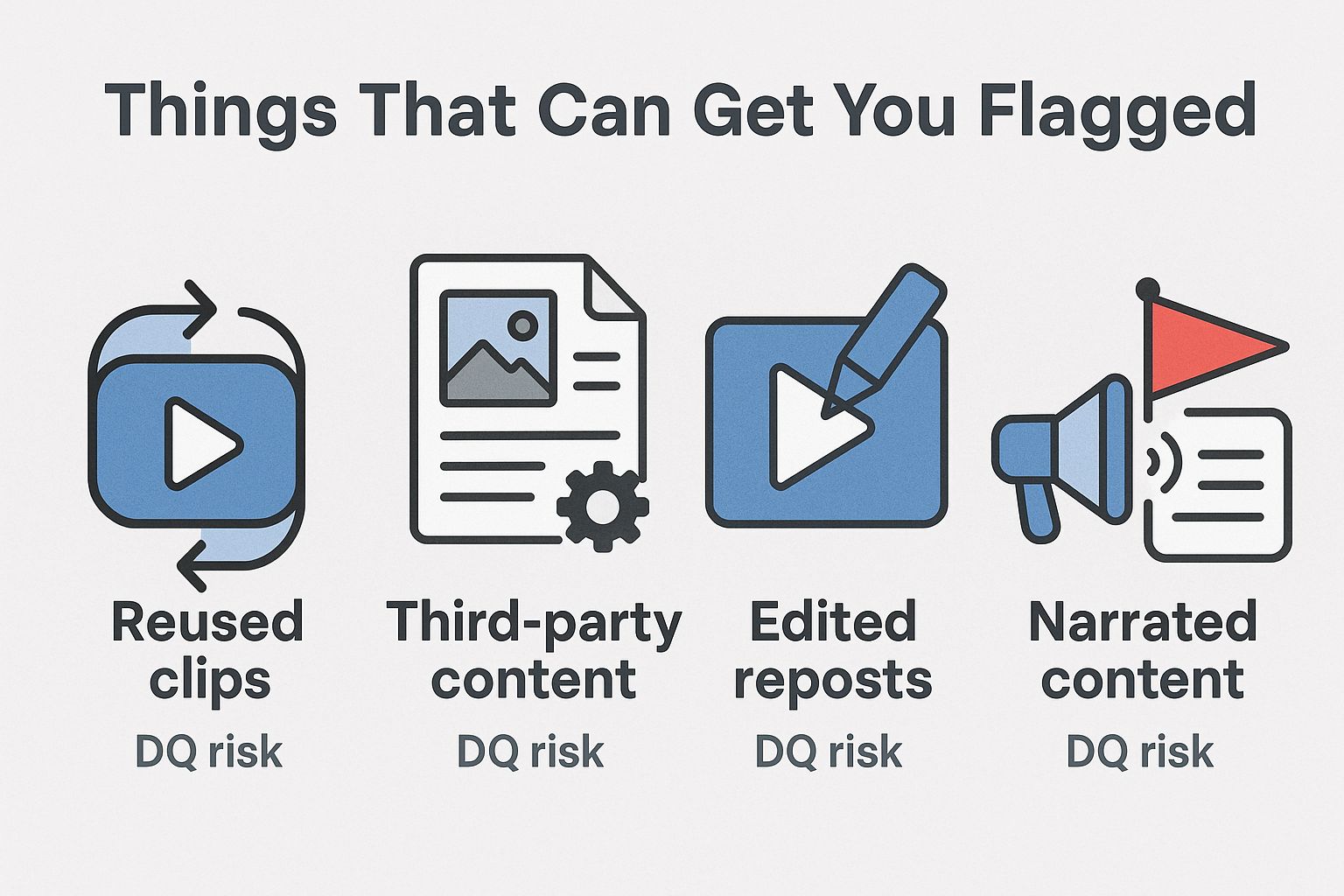
Worth knowing: TikTok’s actual unoriginal content rule is narrower than the folklore around it. The guidelines name “reused or unoriginal content posted without creative edits, such as clips that show someone else’s watermark or logo” and “low-quality or minimally edited content, such as short clips made from GIFs only”.
That is a much smaller net than “never touch a trend”. A repost carrying a visible watermark from another app is the classic trigger, and it is the one people hit by accident most often, usually by saving a video from somewhere else and re-uploading it.
How to Check Whether Your Account Was Flagged
Use two checks before you change anything about how you post: Account check, which scans the account and your last 30 posts, and each post’s analytics, which gives the reason for any feed decision.
- Open your TikTok profile.
- Tap the three lines in the top right corner.
- Go to TikTok Studio, then Account check under More tools.
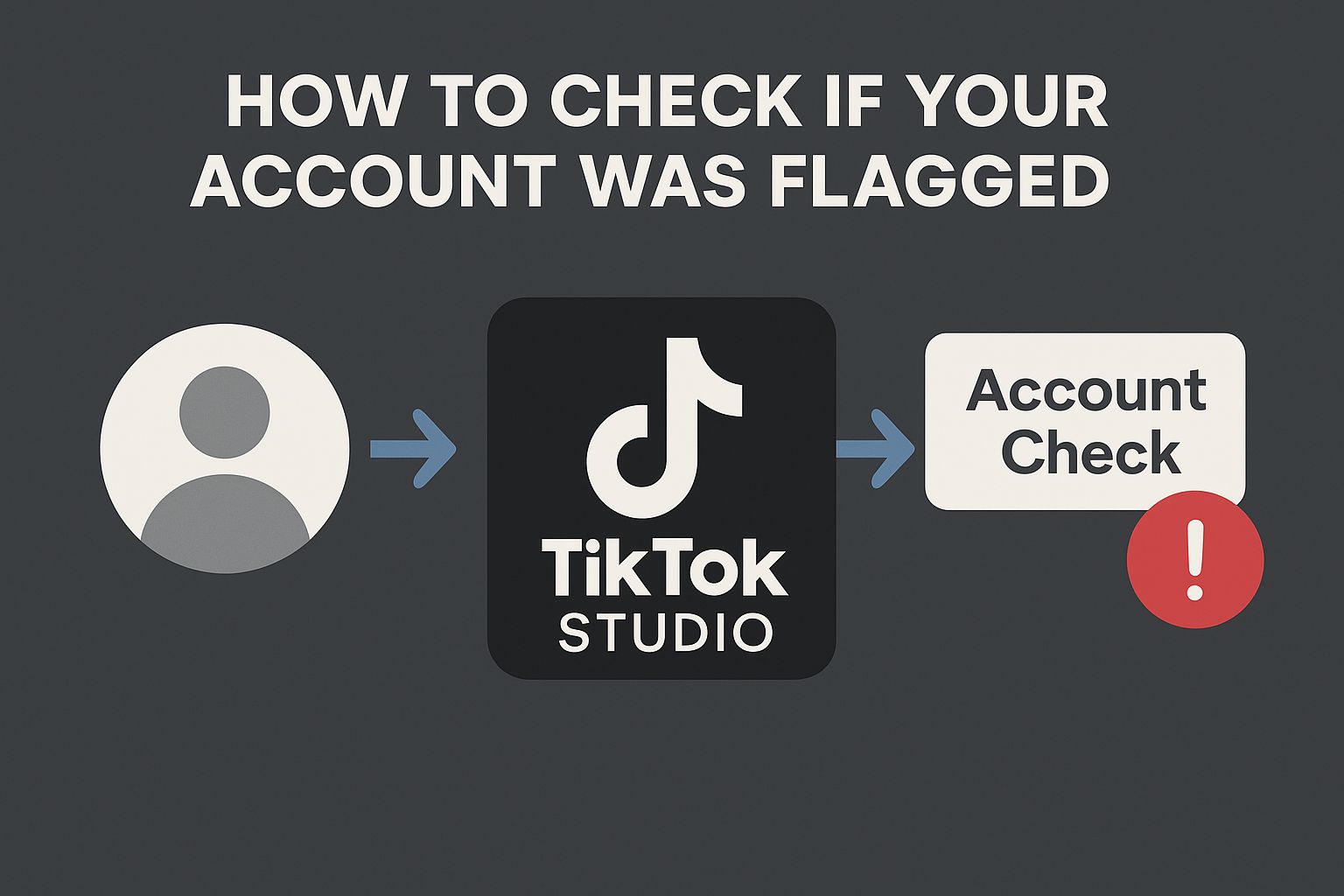
TikTok’s Creator Academy says Account check scans “your account and your last 30 posts,” covering login, posting, commenting, profile and messaging restrictions plus “posts not eligible for the feed” and posts with a violation. A clean result means TikTok found no feed flag on those 30 posts, though anything older sits outside the scan. Creators have reported “no outstanding issues” while stuck under ten views a post, which points to the reach and retention problems covered below.
The reason behind any feed flag sits in each post’s analytics. TikTok’s help center says that if a post is ineligible you can review the reason and appeal, but “you’ll need to turn on analytics in your TikTok settings to view our decision.”
- In TikTok Studio, tap Get started under Analytics, then Turn on.
- Open the post that died and tap More insights, or tap the More options button on the post, then Analytics.
- Tap the notification for the ineligible post to read the reason, then tap Appeal at the top if you think TikTok got it wrong.
If an appeal succeeds, TikTok says the post becomes eligible for recommendation again. If analytics is on and the post carries no such notification, the cause is more likely retention, reach or timing, which the rest of this guide covers.
If either check does show a flag, that’s your answer. Some creators also report support staff using the word “advertisements” for flagged posts, so if that term comes up in a support reply, they are most likely talking about disqualifications.
You can appeal a disqualification, but do not build your week around getting a reply.
Also worth checking separately: if TikTok told you a post was low quality or unoriginal, that message means different things depending on whether it came from the feed rules or the Creator Rewards rules.
What Your Analytics Actually Tell You
When views collapse, the view counter is the least useful number on the screen. It reports the outcome and says nothing about the cause.
Four numbers are worth more:
- Retention. How far into the video people actually get. Finishing the video is the strongest signal a viewer can send.
- Saves and shares. These carry more weight than likes, because they mean the video was worth keeping or worth sending to somebody.
- Comments. Particularly the ones where people reply to each other rather than to you.
- Profile visits and follows. A video can flop on views and still convert most of the people who saw it.
Then use those numbers to separate two situations that look identical from the outside. If retention held steady and only reach fell, distribution is the problem. If reach held and retention fell, the videos are the problem.
Those two need opposite fixes, and guessing wrong costs weeks.
The Reset That Works Without Deleting Anything
Deleting videos is the first instinct and one of the worst ones. Pulling down posts that already earned reach removes the recent history TikTok is judging you on, and it does nothing at all about a post that was ineligible rather than removed.
The approach creators report working is slower and duller than that:
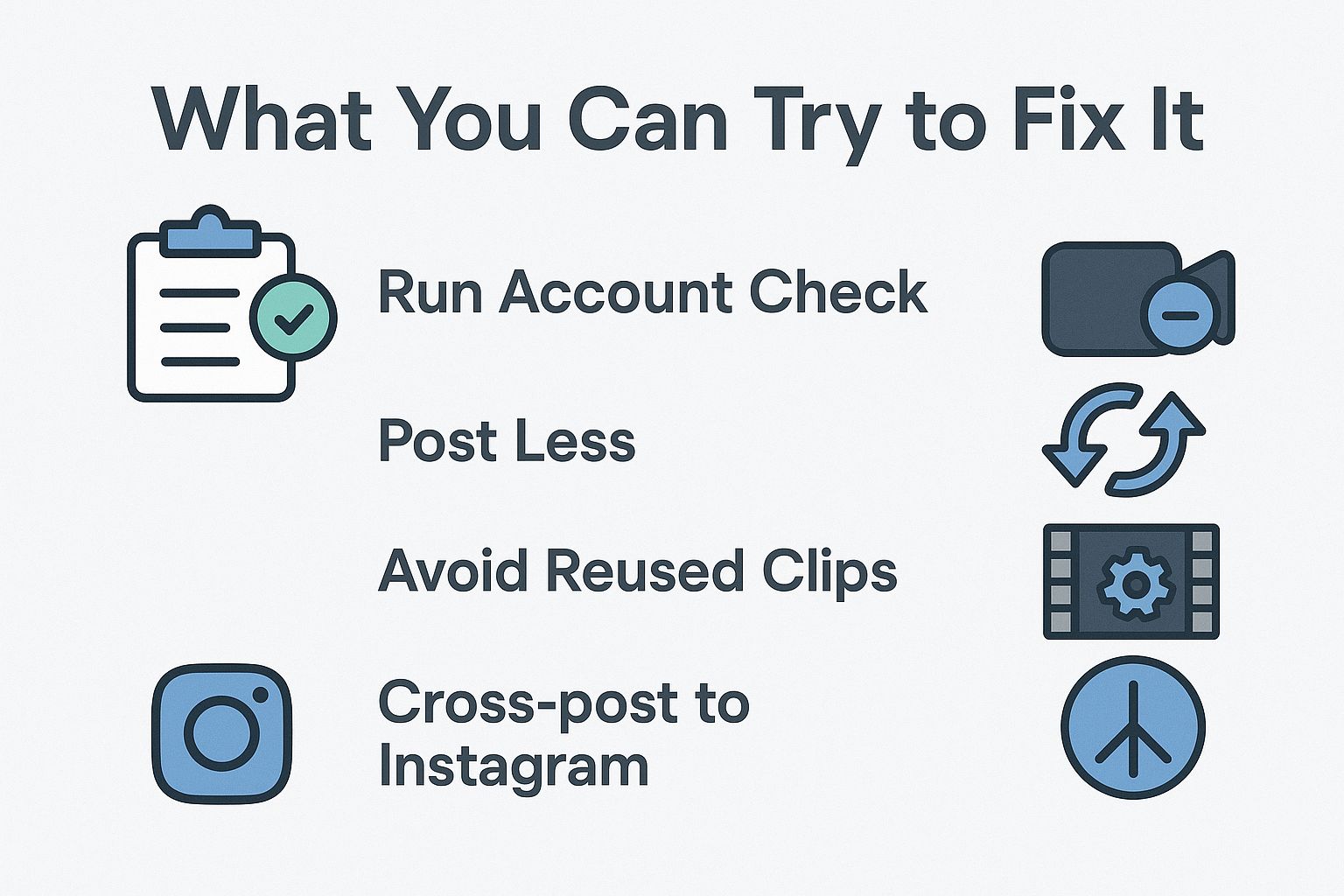
- Post every other day instead of daily. Give each video room to be tested properly before the next one competes with it.
- Cut hard, under 20 seconds. Retention is easier to win on a short video, and retention is exactly what you are rebuilding.
- Front-load motion or dialogue in the first second. No slow logo intros while the account is cold.
- Edit inside TikTok for a while. It removes any chance of a stray watermark from a third-party app, which is the specific thing the unoriginal content rule names.
- Give every video one job, getting saved or shared. Those two are what the system reads hardest.
- Turn on the disclosure toggle for anything that mentions a product, even in passing.
Formats matter here too, because a cold account struggles with anything that needs patience from a stranger. The ones creators name most often when reach starts returning:
- Comment replies filmed as their own video, since the question does the hook for you.
- Short list videos, three or four items, no intro.
- Behind the scenes footage of something you were doing anyway.
- Duets and stitches where you actually say something, rather than reaction faces.
- An older idea rebuilt with better pacing, filmed fresh rather than reposted.
Some creators also report reach improving after simply not posting for a few days and then coming back with something new. There is no mechanism published for that one, so treat it as a thing worth trying rather than a fix.
Expect the first few posts to still flop, and TikTok publishes no figure for how long a drop lasts. The number that moves first is non-follower reach, usually several posts before the view count catches up, so that is the one to watch.
What Not to Do While Your Views Are Down
- Don’t post more of the same thing. Volume on a format that is already underperforming teaches the system to keep skipping you.
- Don’t bulk delete. Removing several videos in a short window looks like account behaviour worth a second look, and you lose the history.
- Don’t switch formats completely. Jumping from calm storytelling to meme edits resets whatever audience match TikTok had built.
- Don’t buy views, trade likes or hand the account to automation. Like-for-like promises are on TikTok’s FYF ineligible list, and buying followers or engagement is on its not-allowed list. The same section says TikTok “strictly prohibit[s] automation tools, scripts, or other tricks designed to bypass our systems,” and its penalties for deceptive account behavior include limiting an account’s ability to appear in the FYF.
- Don’t raise your posting rate the moment things recover. Wait until four or five videos have landed in a stable range.
When the Drop Really Isn’t About You
Some waves hit everyone at once, and no amount of editing fixes those.
A baseball page posting daily went from thousands of views to single digits overnight. A beauty creator with 13.6k followers watched her reach die immediately after one video hit 95k.
A rock music account with 28k followers, same workflow for years, dropped under 100 views. An editing tutorial account with no overlap at all reported the same thing the same week.
Sometimes the zero is not even real. During a U.S. data center power outage in late January 2026, TikTok told creators they “may temporarily see ‘0’ views or likes on videos” and called it “a display error caused by server timeouts”. It added that “your actual data and engagement are safe” (Engadget, 27 January 2026).
When many unrelated accounts drop to zero on the same day, look for an outage notice from TikTok before you change anything about your videos.
A lot of creators also noticed the phrase “under review” appearing on uploads shortly before things crashed, and some reported “promote this video” prompts on posts sitting at zero views. None of that is confirmed by TikTok, and it is worth treating as pattern rather than proof.
If one of those prompts tempts you, read whether TikTok Promote works before paying, since a campaign can make a later drop look worse.
The other common report is that past performance stopped carrying over. People described their regular content barely reaching their own followers, as though every upload started from scratch. One person got 1.6M views on a slideshow, then watched copycat accounts appear and their own next videos struggle to reach 2,000, which is the clearest version of a viral hit failing to carry over.
If both checks come back clean, your retention held, and your last ten posts all died together, this is the bucket you are probably in. Waiting it out is annoying, and it is also the correct move.
If TikTok Stays Cold, Put the Same Video on Instagram
One creator posted an identical video to both platforms and got 6k views on TikTok against more than 250k on Instagram. Same edit, same caption.
That gap keeps showing up, and enough creators now say Instagram is the better bet for reach that it is worth testing rather than arguing about.
Just don’t copy-paste. Use something like Flick to generate a fresh caption for the Instagram version so the two posts aren’t identical.
It won’t repair anything on TikTok. It does mean the work you already did gets seen somewhere while you wait.

