
Clear Instagram Search History and Stop Suggestions Coming Back
Clear Instagram Search History and Stop Suggestions Coming Back
Clear all empties your recent Instagram searches but not the accounts suggested as you type, which Instagram ranks from signals like how often you visit a profile.
- 1How Do You Clear Instagram Search History?
- 2Why Do Search Suggestions Come Back After You Clear Them?
- 3Does Clearing the App Cache Remove Instagram Search Suggestions?
- 4Does the Reset Suggested Content Button Clear Search Suggestions?
- 5Does Blocking Someone Remove Them From Your Search Suggestions?
- 6How Do You Push an Account Out of Your Search Suggestions?
- 7Quick Takeaways
The Short Answer: Go to your profile, tap Menu, then Your activity, Recent searches and Clear all, and tap Clear all again to confirm. That wipes the list of things you searched for. The accounts that appear once you start typing are ranked fresh by Instagram Search from signals such as how many times you have visited a profile, and no button removes one of them.
You already know how to clear Instagram search history. You tapped Clear all, watched the list empty, then typed one letter into the search bar and the same account was sitting at the top again.
That is the part most guides skip. The walkthroughs stop at Clear all because that is the documented step, and it solves a problem you were not having.
The advice that follows Clear all is worse. Several popular guides tell you to clear the app cache or delete and reinstall Instagram, and one of them calls that the easiest fix.
Meta’s own description of Instagram Search lists the signals behind the accounts you see as you type. Every one of them describes you, the account or other people’s clicks, and wiping your phone’s cache touches none of them.
Roughly half of U.S. adults use Instagram, per a Pew Research Center survey run between February and June 2025, so a lot of people are tapping a button that was never pointed at their problem. Below is what each control removes, what none of them remove, and the one approach that moves an account down the list.

How Do You Clear Instagram Search History?
Clear Instagram search history from your profile: tap Menu, then Your activity, Recent searches and Clear all, then Clear all again to confirm. The Search history screen in Meta Account, still called Accounts Center for some people, offers Remove beside each search plus a Clear all searches option. Both routes work on the same stored list of things you searched for.
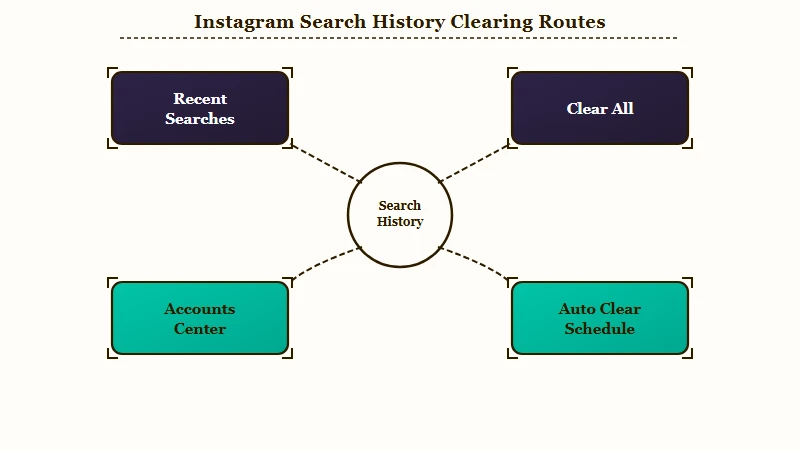
Here is the sequence I would use, because it is the path Instagram’s help gives and it works the same on iOS and Android:
- Open your profile and tap Menu, the three lines in the top right.
- Tap Your activity, under How you use Instagram.
- Tap Recent searches.
- Tap Clear all, then Clear all again to confirm.
The Meta Account route is longer. Instagram is gradually moving people from Accounts Center to Meta Account, so its help page tells you to expect either name. Tap Menu, then Meta Account (or Accounts Center), Your information and permissions and Search history, pick your account, and tap Remove beside a search or Clear all searches to empty the list.
To delete one search and keep the rest, tap the search bar and tap the X beside it under Recent, or, if no X shows, use Clear next to it in Your activity. The search screen can empty the whole list as well: tap See all next to Recent, then Clear all and confirm. Removing one entry takes it off Recent searches only, so the same account can still appear once you start typing.
On a computer, click Search on the left, then Remove next to a single search or Clear all next to Recent, which are the web steps Instagram’s help gives. The help defines this history as the hashtags, accounts, audio, tags and places you searched for in Search & Explore, and it says nothing about the search box inside your messages. The list lives in your own settings, not on your profile.
Your activity is also where Instagram keeps your Reels watch history. Clearing recent searches leaves that log alone.
There is also a setting most people never find. Under the same Search history screen, a Keep searches for option sets how long searches stay, and my take is that this is the most useful control for keeping your Recent list short.
What is typeahead: The ranked list of accounts Instagram shows as soon as you type a character in the search bar, before you finish a word.
| Where you go | What it clears | What it leaves behind |
|---|---|---|
| Your activity, Recent searches, Clear all | The stored list of things you searched for | Every account in the typeahead |
| X or Clear next to one search | That one entry | The same account when you start typing |
| Meta Account or Accounts Center, Search history | Same list, one search at a time or all at once | Every account in the typeahead |
| Press and hold a suggestion, Hide | That one tile on the search page | The same account when you start typing |
| Keep searches for | Searches older than the window you pick | Every account in the typeahead |
Left alone, the setting clears searches after 30 days, according to Security.org’s walkthrough updated in June 2025, and you can pick 3, 7 or 14 days instead. Instagram’s search history help pages do not list these windows, so check the screen itself if yours differs. Setting it to 3 days means the list is close to empty most of the time without you touching it again.
Clearing is less final than it sounds. Both Instagram’s help page and Meta’s system card say so: “Clearing your search history is temporary, and searches you clear may reappear in your history after you search for them again.” Search that name once more and it is back on the list.
Why Do Search Suggestions Come Back After You Clear Them?
Search suggestions come back because Instagram ranks the accounts you see as you type afresh each time, using signals such as how many times you have visited that profile and both accounts’ social graphs. Clear all empties the list of past searches and leaves those signals untouched.

Most of the confusion comes from treating two different lists as one. Recent searches is a log of things you searched for. The typeahead is a ranked guess about who you want, rebuilt each time you type into the bar.
Meta’s Instagram Search system card, updated on 23 June 2026, names the prediction behind that list. It is how likely you are to click an account that appears after you start typing, then follow it or like a post, and the card lists five signals for it:
- Your age, and how close it is to the account owner’s age.
- How closely the letters you typed match the account’s username or profile name.
- How often people running the same search in your country clicked the account and then acted on it.
- How many times you have visited the account’s profile.
- Your Instagram social graph and the account owner’s social graph.
Your recent searches are not among the five, and clearing them leaves all five where they were. The profile visit count is the signal you control most directly, and it can put someone at the top of your search bar when you never typed their name.
The card lists profile visits without saying where they start, so a visit through a tag, a comment or a mutual follower list may raise someone’s rank without any search. Your social graph also shapes how the Instagram algorithm ranks what you see elsewhere in the app.
Does Clearing the App Cache Remove Instagram Search Suggestions?
No. Clearing the cache or reinstalling Instagram deletes local files on your phone, and the account suggestions are computed on Meta’s servers, so a fresh install downloads the same predictions again.
This is where those guides and Meta’s documentation flatly disagree, and I would trust the documentation. One popular guide states that deleting and reinstalling the app is the easiest way to clear the cache and that this also clears your search suggestions. Another says clearing the cache resets all the stored data about your activities, suggestions included.
Set that against how Meta describes the system. Instagram Search is ranked by an AI system working from account signals such as profile visits, social graphs and other people’s clicks, and none of that is stored in your app’s cache directory.
Users who followed the advice say the same thing. On r/techsupport, one person reported clearing search history, cache, and app data, then typing a single letter and watching the same account appear at the top anyway.
Before: Uninstall Instagram, reinstall it, log back in, and expect a clean search bar. After: Accept that reinstalling only re-downloads the app, then spend the same ten minutes changing the behaviour that feeds the ranking, which is the only input you control.
The same goes for a new phone. Your recent searches sit in your account’s Search history and the typeahead signals belong to your account, so logging in on another handset brings both back with you.
The cache advice is a reasonable-sounding fix that was probably never tested against the thing it claims to solve, and it has been copied between sites until it looks like consensus. If your app is misbehaving in other ways, clearing the cache is still fine, and it sits alongside fixes for comments and stories not showing that genuinely are local.
Does the Reset Suggested Content Button Clear Search Suggestions?
No. Instagram’s Recommendations Reset covers Explore, Reels, and Feed. Search and the typeahead are not included, and Meta’s announcement names the three surfaces explicitly.
The tool is real and it works, so the confusion is understandable. Instagram’s own announcement from 19 November 2024 describes it as a way to reset the content recommendations people see in Explore, Reels and Feed when they want a fresh start.
Three surfaces are listed. Search is not one of them, and neither is the account typeahead.
Reddit threads recommend it as a total system reset, usually from someone who tried it on their Explore page, saw a genuine change, and reasonably assumed it applied everywhere. Their feed did change. Search was never in scope for that button.
You reach it through your profile, the three-bar menu, Content preferences, then Reset suggested content, which is the path Meta’s announcement gives. My take is that it is worth doing if your Explore page has drifted somewhere you dislike, and worth skipping if the search bar is your only complaint.
| Control | Where it lives | Clears typed searches | Clears account typeahead |
|---|---|---|---|
| Clear all searches | Your activity or Meta Account | Yes | No |
| Hide a suggestion | Press and hold the tile | No | No, it returns when you type |
| Clear cache or reinstall | Phone settings or app store | Only the local copy | No, it is computed server side |
| Reset suggested content | Content preferences | No | No, it covers Explore, Reels, Feed |
| Block the account | Their profile menu | No | Hidden while blocked, returns after |
Does Blocking Someone Remove Them From Your Search Suggestions?
Blocking hides an account while the block is active. It filters visibility without deleting your interaction history, so unblocking restores the suggestion.
Blocking is the workaround people land on, and it is the one piece of folk wisdom in this topic that is half right. The account does vanish from your typeahead, which is why the advice spreads.
What has not happened is any deletion. Your history of viewing and messaging that account is still on file, and the block sits over the top of it as a filter. Unblock and the suggestion comes back, which is exactly what people report.
I would not recommend the block-and-unblock cycle some guides suggest as a reset trick. There is no documented mechanism by which it clears anything, the account reappears the moment you unblock, and each trip to their profile to do it adds a visit, one of the five signals. If the person is someone you want gone permanently, a standing block is a real answer, as long as you leave it in place.
How Do You Push an Account Out of Your Search Suggestions?
Nothing deletes a typeahead suggestion outright. The one approach with any track record is dilution, meaning you search and open other accounts that share the same opening letters until the unwanted one drops down the ranking.
This is the piece missing from most guides on the topic, and it is the only tactic users report as working. It adds profile visits to other accounts that start with the same letter, so they can climb past the one you want gone.
Here is the sequence I would run:
- Pick the letter that surfaces the account you want gone.
- Search three or four other accounts starting with that letter, and open each profile properly rather than glancing at the result.
- Stop visiting the unwanted profile, including through stories, tagged photos, and mutual follower lists, since profile visits are one of the five signals.
- Give it several days of normal use before checking again.
Step three matters more than step one. Passive viewing feeds the ranking, so diluting on Monday and checking their profile on Tuesday puts you back where you started.
Before: Search a letter, see the unwanted account, hide the tile, repeat weekly, nothing changes. After: Search that letter, open four unrelated profiles properly, stop viewing the unwanted one entirely, and let a week pass before you judge it.
The controls Meta lists for Instagram Search are clearing recent searches, filtering results by category and, where offered, seeing results that are not personalized to you. None of them removes one account from the list you see as you type.
A name can also climb your list without anything you did, because one signal is how often people running the same search in your country tap that account. If the same person also sits first when you share a post, that is a different list with its own rules, covered in the guide to Instagram’s share list order.
If you are auditing your own privacy footprint more broadly, what Instagram tracks covers the wider picture. The export you can request from Meta returns your raw logs, while the inferred profile driving all of this stays internal.
Quick Takeaways
- Clear all empties the list of things you searched for and leaves the signals that rank your typeahead untouched, so the same accounts can come straight back.
- Clearing the cache or reinstalling the app cannot remove suggestions ranked from your account’s signals, despite several popular guides recommending it.
- Reset suggested content covers Explore, Reels, and Feed only, per Instagram’s own announcement, so it will not touch your search bar.
- Blocking hides an account without deleting your history with it, which is why unblocking brings the suggestion straight back.
- Set Keep searches for to 3 days, stop visiting the profile you want gone, and dilute the letter it appears under; that combination is the closest thing to a fix.

