
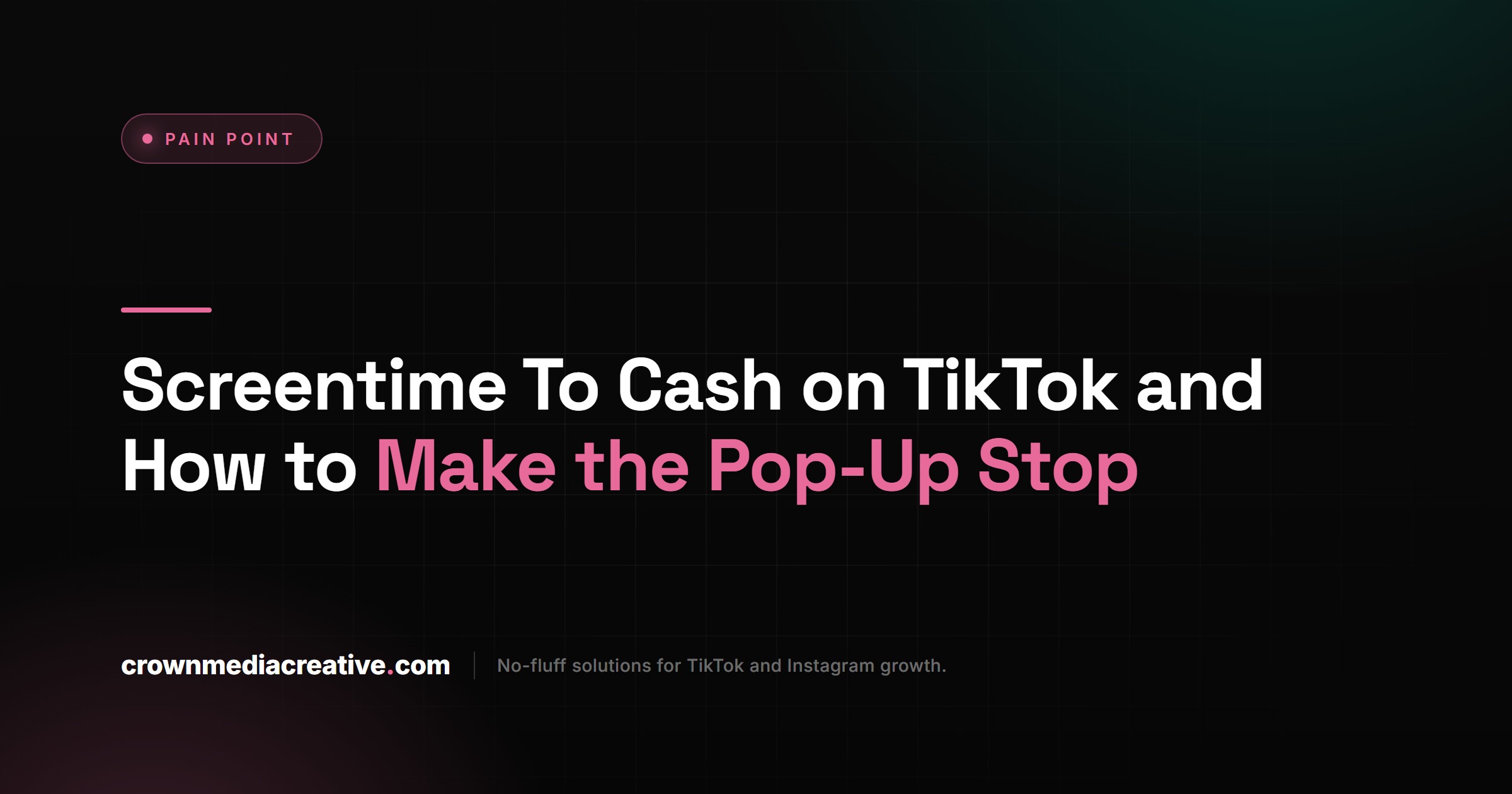
Screentime To Cash on TikTok and How to Make the Pop-Up Stop
Screentime To Cash on TikTok and How to Make the Pop-Up Stop
The Screentime To Cash pop-up on TikTok pushes reward apps that do not pay for scrolling. Here is how to stop it and what to do if you
- 1What Is Screentime To Cash on TikTok?
- Is Screentime To Cash a Real TikTok Program?
- 2How Do You Stop the Screentime To Cash Pop-Up?
- 3How Can You Tell the Screentime To Cash Pop-Up Is an Ad?
- 4Does Screentime To Cash Pay You for Scrolling?
- What Happens If You Tap Start Now?
- 5Does the Screentime To Cash Pop-Up Break TikTok’s Ad Rules?
- 6What Should You Do If You Already Entered Your Age or Installed the App?
- 7What Does TikTok Pay People For?
- Does TikTok Pay $1 for 1,000 Views?
- 8Quick Takeaways
The Short Answer: Screentime To Cash is a full-screen ad page inside TikTok that promises cash for your screen time, then pushes a reward app such as Playful Rewards or Freecash. Neither app pays for scrolling TikTok. Close TikTok fully to get out of it, then mute or report the ad and skip the install.
The Screentime To Cash pop-up on TikTok lands in the middle of an ordinary video. The screen turns into a page reading “Congratulations! You have been selected for our Screentime To Cash program,” with three steps underneath: confirm your eligibility, download our partner app, claim your cash reward.
It borrows TikTok’s red and cyan colors, and tapping Ask Me Later does not always make it leave. It has been showing up since at least May 29, 2026, when a comment on r/NoStupidQuestions described the same screens, and it was still appearing on September 28, per a new r/TikTok post.
I treat it as an ad from the first screen, and TikTok’s own records back that up. Below is how to get rid of it, how to tell what it is, whether anyone gets paid, and what to do if you already typed your birth year or installed the app.
What Is Screentime To Cash on TikTok?
Screentime To Cash on TikTok is a full-screen ad page that claims you were chosen to earn money for your screen time, asks your age, and then sends you to install a reward app. It comes in several versions.
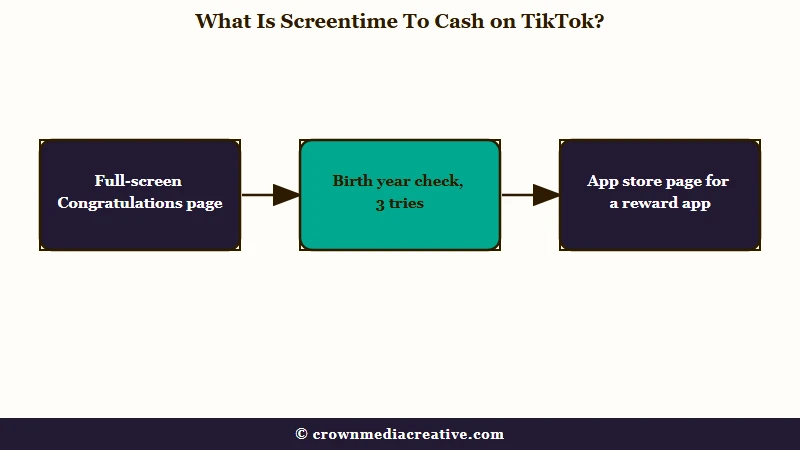
The best-known version has two screens. The first is the “Congratulations” page with Start Now and Ask Me Later buttons.
The second is an age check that reads: “To be a Screentime To Cash Creator you must be at least 13 years or older and install our partner app. You have 3 tries to confirm your age.”
Other versions drop the program name and go straight to the pitch. Here is what each one says and what it wants from you:
| Version | What the screen says | What it wants from you |
|---|---|---|
| Screentime To Cash, light or dark background | “Congratulations! You have been selected for our Screentime To Cash program.” | Tap Start Now, confirm your eligibility, then download a partner app |
| Age check | “You have 3 tries to confirm your age.” | Your birth year |
| Test Games | “Turn your free time into real cash, Test Games and claim cash” | Install a partner app and reach Level 1 in it |
| Freecash page | “Scrolled TikTok for 100+ hours?” beside a TikTok logo | Install Freecash “to view the scrolling offer” |
The Freecash version gives itself away. A September 28 screenshot of that page ends with the line “Independent affiliate page. We may earn a commission when you sign up through our link.”
Confirming your age has sent people to Playful Rewards and to Freecash, per a long-running r/TikTok thread, and a TikTok ad history screenshot, covered below, ties it to an app called QuickRewardz. With every version leading to a reward app, that footer is enough for me to call them all paid promotions.
Is Screentime To Cash a Real TikTok Program?
Screentime To Cash is not an official TikTok program. When one person on r/TikTok asked TikTok’s support assistant about it, the reply said the pop-up “does not sound like an official TikTok program” and warned against downloading “any third-party apps requested by such pop-ups.”
TikTok does have a setting called Screen time, and it works as a limit on your use. Per TikTok’s screen time page, the daily limit is on by default at one hour for users aged 13 to 17.
TikTok’s real age checks look nothing like this page either. Its age confirmation page lists a selfie with an ID, a credit card authorization or a facial age estimate, and none of them involves installing another app.
How Do You Stop the Screentime To Cash Pop-Up?
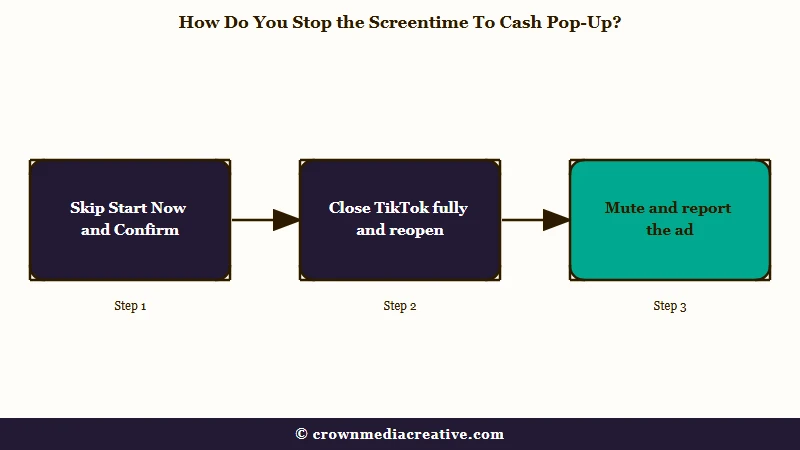
Close TikTok completely and reopen it to escape the pop-up, then mute the advertiser, share feedback on the ad and report it so TikTok shows you fewer of them. No setting blocks this pop-up for good, so these steps cut the odds without a guarantee.
Ask Me Later does not reliably end it. One person who tapped it “a million times” says it “still makes me confirm anyway and won’t go away.” On the Test Games version, the X brings up an iOS “Network Error” alert, per a September 28 post.
Here is the order I work through, and step 2 is the one that gets you out of the page:
- Do not tap Start Now or Confirm, and do not enter a birth year.
- Close TikTok completely by swiping it away in your phone’s app switcher, then open it again. A full restart is what cleared the Freecash version for one person after it appeared four times.
- Open Profile, tap the menu, then Settings and privacy, Ads and Mute advertisers. Hide any reward app or advertiser you do not recognize, which hides its ads for 28 days, per TikTok’s mute advertisers page.
- In the same Ads menu, tap Share feedback, which lists ads you engaged with, and send feedback on this one if it appears. Some regions call this screen Your ad activity.
- Go to Settings and privacy, then Report a problem, and pick the closest topic or tap Chat with us, as TikTok’s report page describes. The chat may start with TikTok’s automated assistant rather than a person. Add your screenshots if it lets you.
- Under Ads, open Manage ad topics and set the topics you want fewer ads from to See less. TikTok’s ad topics page says changes can take up to 48 hours.
Give TikTok’s support team something it can check when you report it:
Vague: “weird scam popup on tiktok”
Specific: “A full-screen Screentime To Cash page opened in the middle of a video at 9:40 pm on September 28. It asked for my birth year, the X shows Network Error, and it pushes a partner app install. Screenshots attached.”
Keep this quick reference handy for the next time it appears:
| What you see | What it means | What to do |
|---|---|---|
| “Congratulations! You have been selected” | A reward-app ad page | Close TikTok fully and reopen it |
| “You have 3 tries to confirm your age” | A prompt that unlocks no payout | Skip it |
| The X shows “Network Error” | The close button does not close the page | Swipe TikTok away and reopen |
| It returns after Ask Me Later | The ad is still being shown to you | Mute the advertiser and report it |
| An App Store page opens | You reached the partner app | Leave without installing |
How Can You Tell the Screentime To Cash Pop-Up Is an Ad?
You can tell from TikTok’s own ad link history, which on at least one account listed the Screentime To Cash pages as ad links at a vercel.app hosting address anyone can get.
What is ad link history: A list in TikTok’s in-app browser of the web pages you opened from ads over the last 30 days.
Per TikTok’s ad link history page, “Each web link in the in-app browser is recorded.” In one screenshot of that list taken after the pop-up, four entries read “Page https://lander-app.vercel.app/…” under a QuickRewardz logo, logged between 05:39 and 05:57 on September 2.
That address ends in vercel.app. Vercel’s documentation says every site deployed on its platform is automatically given an address ending in .vercel.app, allocated “on a first-come, first-served basis.” Anyone can put a page there and dress it in TikTok’s colors.
One partner app’s developer calls it advertising too. When someone the pop-up sent to its store page left a one-star review, the reply said “Any advertisement shown on TikTok is intended to introduce users to our app,” per a July screenshot.
TikTok’s ad link history is my first stop whenever a full-screen page shows up uninvited, because it is TikTok’s own log. To check yours:
- Tap the link on any TikTok ad so it opens in TikTok’s in-app browser.
- Tap the three dots at the top of the browser.
- Tap History and look for a .vercel.app address or a reward app’s logo around the time the pop-up appeared.
The history exists only in the main TikTok app, so TikTok Lite users have no such record. TikTok has not explained how the page opens mid-video without a tap.
Does Screentime To Cash Pay You for Scrolling?
The apps behind Screentime To Cash pay small amounts for games, surveys and offers, and neither Playful Rewards nor Freecash pays for scrolling TikTok. I don’t buy the screen-time pitch from either app, and Playful Rewards has said as much in writing.
Playful Rewards’ developer answered a review on the app’s own App Store page with “We don’t offer rewards for scrolling TikTok, and we apologize if that was unclear.” The review, dated September 11, 2025, complained that the app “says you can make money while playing games or watching Tik ToK, but there’s no option for that.”
That review came more than eight months before the first known Screentime To Cash pop-up. At least one reviewer was tying this app to paid TikTok scrolling well before the pop-up existed.
Freecash was sold on the same promise in January 2026. Malwarebytes reported that the TikTok ads pushing it promised up to $35 an hour for watching your For You page.
TechCrunch’s investigation found that “In truth, Freecash pays users to play mobile games” such as Monopoly Go and Disney Solitaire. Malwarebytes put those game payouts at anywhere “from a single cent for a few minutes of daily play up to triple-digit amounts if you reach high levels within a fixed period.”
TechCrunch also reported that TikTok pulled some of those ads for breaking its rules on financial misrepresentation. Apple then removed Freecash from the App Store on April 13, 2026, citing its rules against scams and misleading marketing, and Google Play removed it on April 15.
Freecash is back on both stores. On September 28, 2026, its App Store page listed it at number one in the Entertainment chart, and its Google Play page showed an update from September 25. That is why the Freecash version of the pop-up still has a live, top-ranked app to send you to.
What Happens If You Tap Start Now?
Tapping Start Now leads to the age check and then to an app store page for a reward app. Installing that app does not switch on any screen time payout, because the named apps offer none.
Someone who installed the app said “nothing happened after that.” If you backed out of the store page without installing, you have nothing to clean up.
Does the Screentime To Cash Pop-Up Break TikTok’s Ad Rules?
The Screentime To Cash pop-up runs into at least four of TikTok’s published ad rules, including its bans on fake close buttons and on landing pages that demand a download. It keeps running anyway.
| What the pop-up does | TikTok rule it runs into | Where TikTok says it |
|---|---|---|
| An X that answers with “Network Error” | “Fake close buttons that do not close or dismiss the ad” | Misleading and false content |
| An Ask Me Later button that still makes you confirm your age | “Fake call-to-action buttons or pop-ups designed to mislead viewers into thinking they must interact to proceed” | Misleading and false content |
| A birth-year check and a required download before anything else | “Landing pages that require viewers to download additional programs or enter personal information in order to access the main content on the landing page” | Ad Format and Functionality |
| “Claim your cash reward” for screen time | “Get-rich-quick offers” and “Too-good-to-be-true financial offers” | Financial services |
Enforcement lags the rulebook. Between December 2025 and March 2026, consumer groups in 13 European countries reported nearly 900 suspected financial scam ads to Meta, TikTok and Google, per a press release from BEUC, the European Consumer Organisation. Its summary of the findings says TikTok removed only 21% of the ads submitted to it, and in 37% of cases claimed the ad was already down before it could review it.
TikTok answered that its latest quarterly enforcement report shows more than 97.7% of the fraud and scam content it removed was taken down before anyone reported it, per EU Perspectives. Both figures can hold at once, since one counts ads outsiders flagged and the other counts removals TikTok made on its own.
I report every copy I see anyway, because a report with screenshots takes a minute.
What Should You Do If You Already Entered Your Age or Installed the App?
If you only entered a birth year, you can move on, but if you installed the partner app, delete your account inside it first, then remove the app and any games it had you install. A birth year alone reveals little, while an installed reward app can collect far more.
The age screen asks for a birth year and does not ask for your TikTok login. I would not lose sleep over a birth year typed into it.
TikTok’s own rule helps you judge anything that asks for more. Its phishing page says TikTok “will never contact you to ask for your password, verification codes, or other sensitive personal information.” If you typed your TikTok password into anything connected to this pop-up, change it and follow recovering a hacked account.
An installed app is where the real exposure sits. Malwarebytes found that Freecash’s privacy policy allows the automatic collection of data including race, religion, health and biometrics.
Freecash’s own App Store privacy label lists your name, email address and physical address as data linked to you. Clean up in this order, because deleting the app from your phone does not close the account behind it:
- Open the app and delete your account from its settings. Apple’s App Review Guidelines say that any app supporting account creation “must also offer account deletion within the app.”
- Delete the app. On iPhone, touch and hold it, tap Remove App, then Delete App, per Apple’s delete guide. On Android, uninstall it from Settings or the Play Store.
- Delete any games the app had you install, since each game adds “its own privacy policy, tracking, and telemetry,” as Malwarebytes notes.
- If you keep any of those games on iPhone, open Settings, then Privacy & Security, then Tracking, and switch tracking off for them, per Apple’s tracking page.
- On Android, open Settings, then Apps, then Special app access, then Usage access, and switch it off for any reward app or game you keep. Freecash’s game tracking on Android relies on that permission, per a user-written Freecash guide.
- Report the app to Apple at reportaproblem.apple.com, the address Apple gave TechCrunch for apps engaging in scams or fraud.
What Does TikTok Pay People For?
TikTok’s main payout is the Creator Rewards Program, which pays creators aged 18 and over for original videos at least a minute long, and nobody earns from it by watching. Per TikTok’s Creator Rewards page, you need to:
- be at least 18 years old
- have at least 10,000 followers
- have at least 100,000 video views in the last 30 days
- post original videos at least one minute long
Each video also needs at least 1,000 qualified For You views, and a view only counts after 5 seconds. Reaching 10,000 followers is the first hurdle for most accounts.
TikTok’s own reward app follows the same age line. TikTok Pro Events, a free app from TikTok itself, lets only users 18 and over earn and redeem Stars, its reward points.
TikTok’s own payouts start at 18, yet the Screentime To Cash page says 13 is old enough. When a page claims to pay for TikTok time, I compare its age line with TikTok’s before anything else.
Does TikTok Pay $1 for 1,000 Views?
No, not as a set rate, because TikTok publishes no flat rate per 1,000 views. Its Creator Rewards page says rewards are calculated from qualified views and a rate per 1,000 qualified views, known as RPM.
Screenshots of big payouts from small accounts deserve the same doubt as this pop-up, and those huge-earnings claims have their own tells. If you post your own videos, the income you control starts with an email list you own.
The Creator Money Page is a free template that turns your bio link into a sign-up page for that list, and it runs on a free Systeme.io account.
Quick Takeaways
- Screentime To Cash is an ad page for reward apps such as Playful Rewards and Freecash, and neither app pays you for scrolling TikTok.
- Close TikTok fully to escape the pop-up, then mute the advertiser, share feedback on the ad and report it with screenshots.
- TikTok’s ad link history, under the three dots in its in-app browser, is TikTok’s own record of the ad pages you opened in the last 30 days.
- If you installed the partner app, delete your account inside it before deleting the app and the games it pushed.
- TikTok’s own payouts start at 18 and go to creators, so any page offering a 13-year-old cash for screen time is not a TikTok program.

